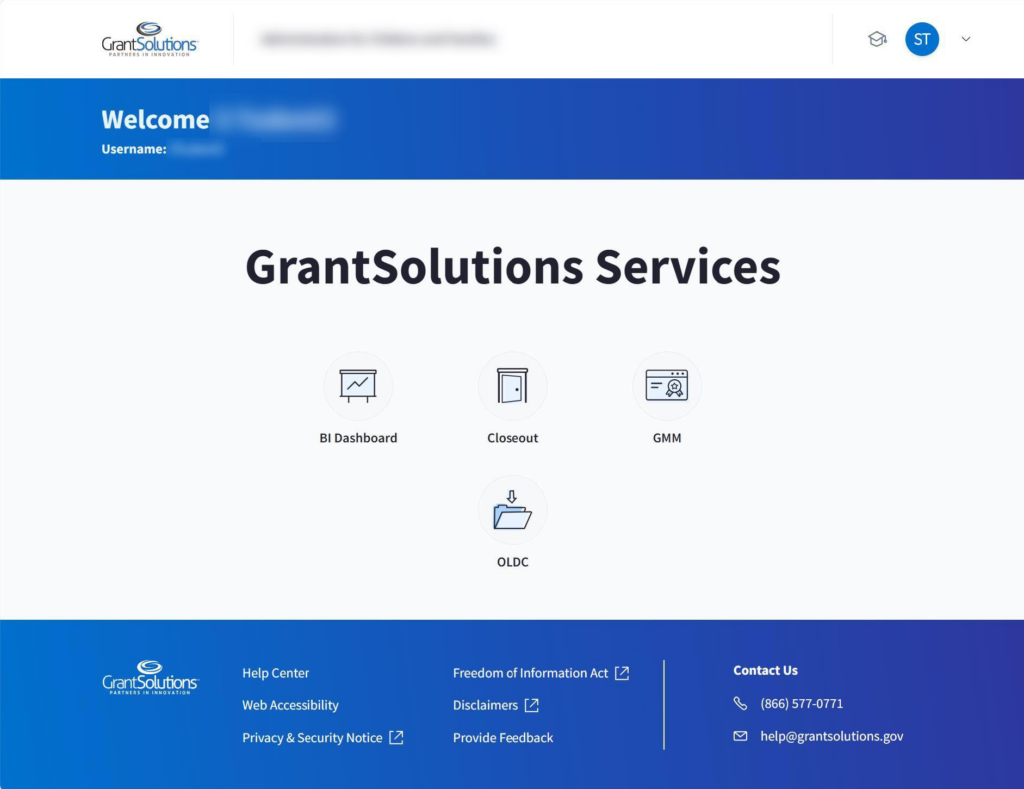
A Grantor user email address associated with a Login.gov account may log into GrantSolutions through Login.gov. If logging into GrantSolutions through Login.gov, a Grantor user must use a PIV card associated with the Login.gov account to do so. The Grantor user should create a Login.gov account and add a PIV card to the account prior to attempting to log into GrantSolutions through Login.gov using the PIV card (see Add a PIV Card to a Login.gov Account section).
To log into GrantSolutions through Login.gov using a PIV card, perform the following steps:
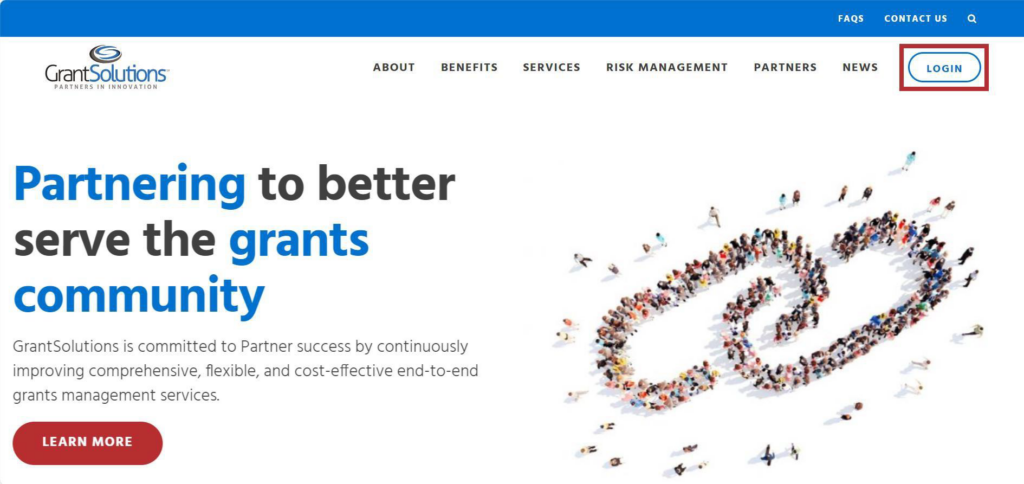
- From a browser such as Google Chrome, navigate to www.grantsolutions.gov and click the Login button.
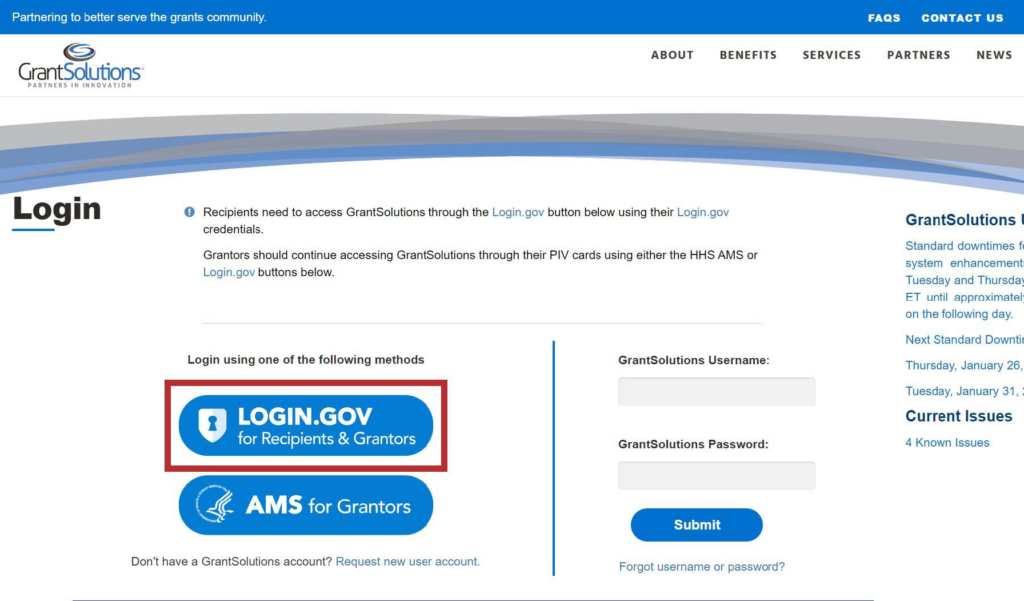
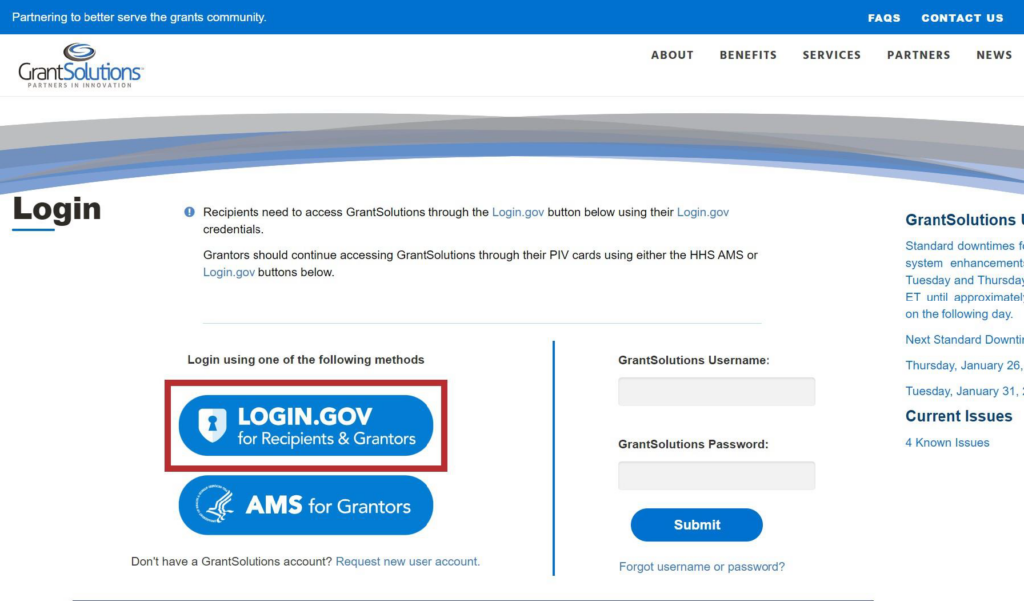
- The GrantSolutions “Login” screen appears. Click the Login.gov button.
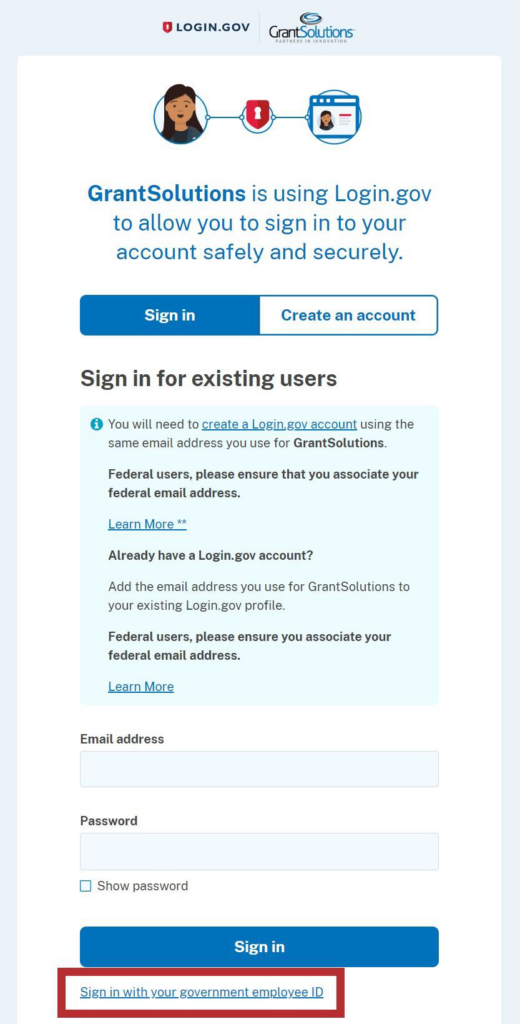
- The Login.gov “Sign in” screen appears, this time linked to GrantSolutions. Click the Sign in with your government employee ID link at the bottom.
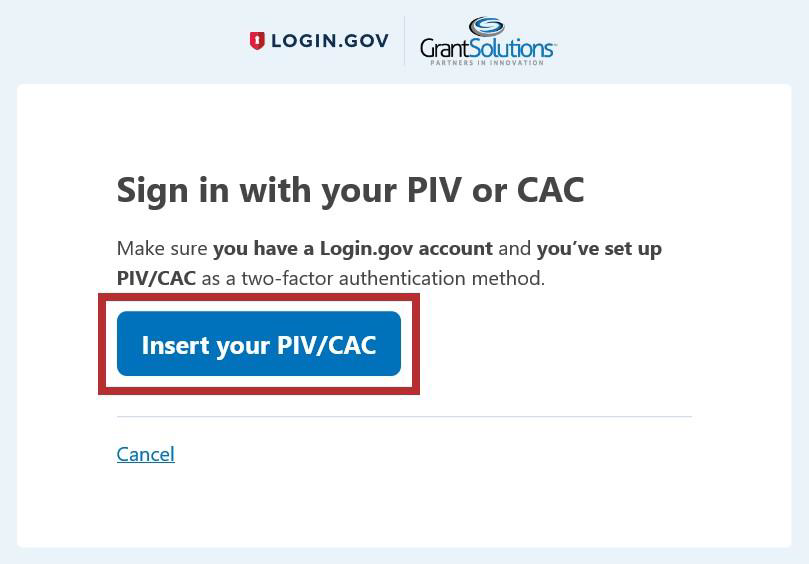
- The Login.gov “Sign in with your PIV or CAC” screen appears. Click the Insert your PIV/CAC button.
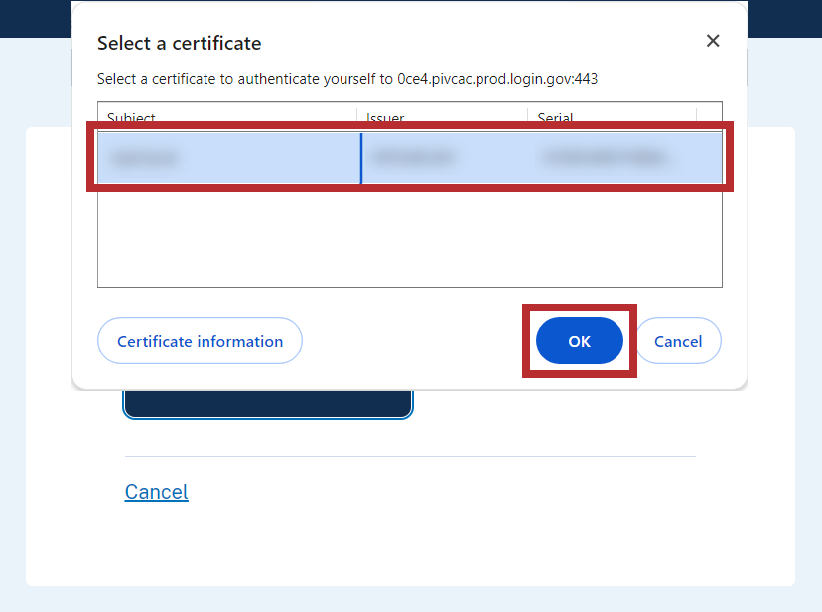
- In the browser window, select the correct PIV certificate and click the OK button in the browser.
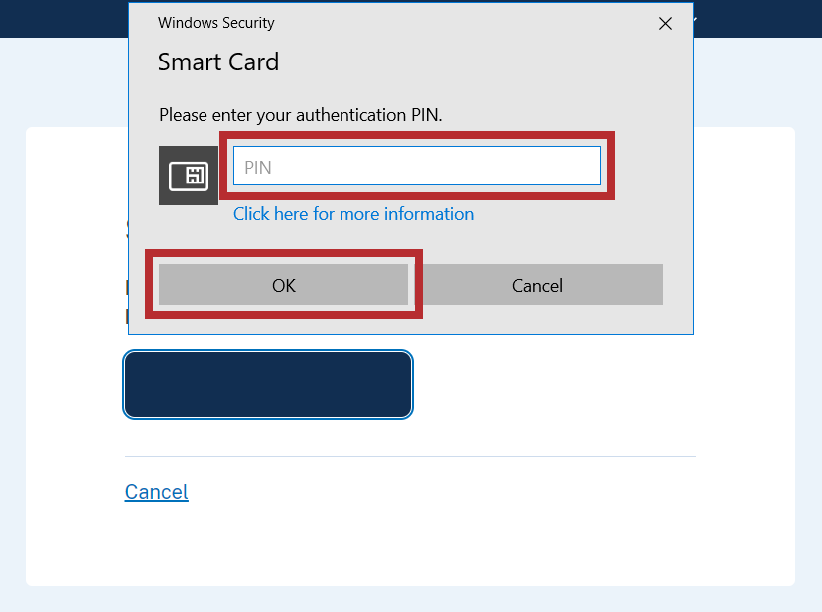
- In the new browser window, enter the PIV PIN in the PIN field and click the OK button.
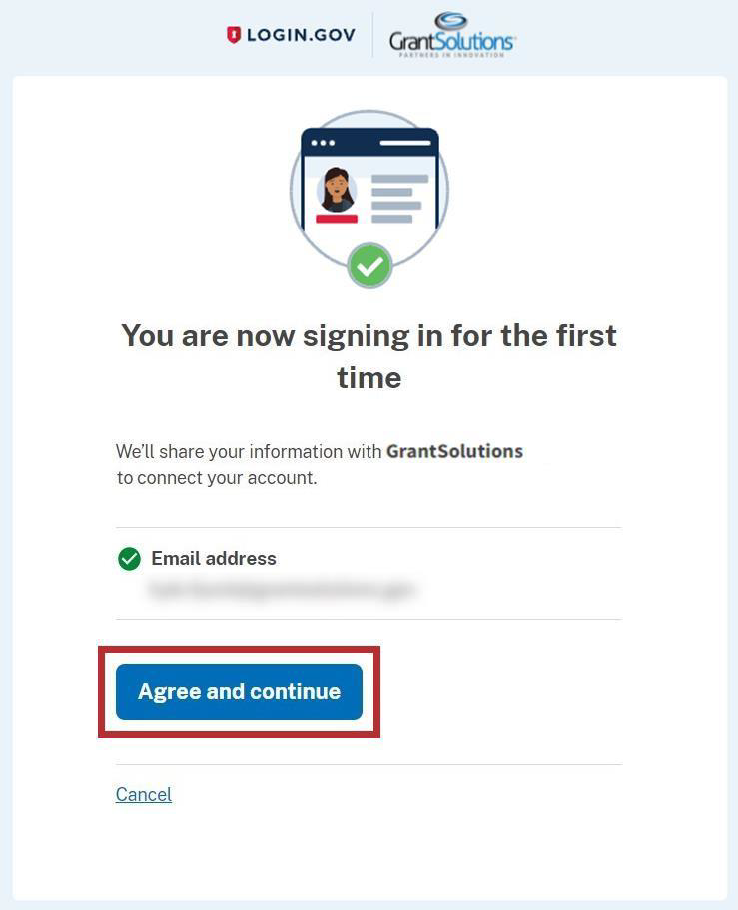
- The Login.gov “You are now signing in for the first time” screen appears with the email address used for the Login.gov account. Click the Agree and continue button at the bottom.
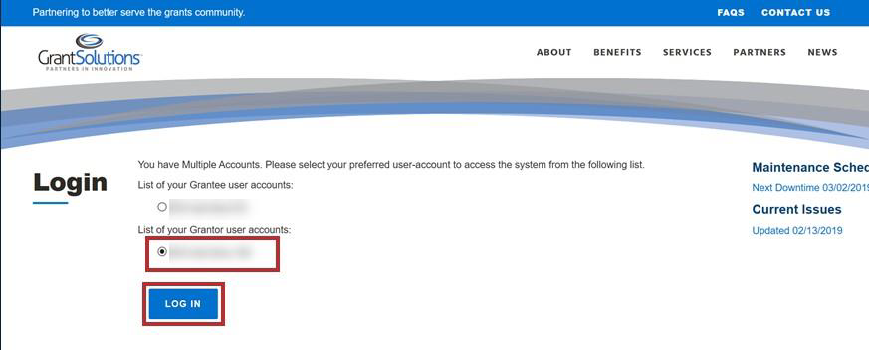
- If the user has multiple accounts associated to the PIV card, the GrantSolutions “Login” screen appears. The PIV card may be associated to both Grantor and Grant Recipient accounts. Select the radio button for the Grantor account to log in with and click the LOG IN button.
Note: If the user has one account only, the user bypasses the GrantSolutions “Login” screen and is routed directly to GrantSolutions.
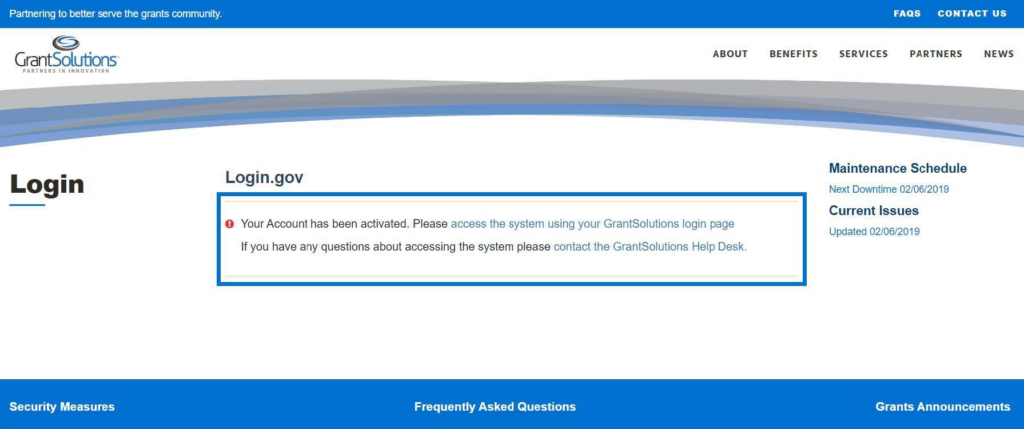
- A message appears stating “Your Account has been activated. Please access the system using your GrantSolutions login page. If you have any questions about accessing the system please contact the GrantSolutions Help Desk.”
Note: This message only appears upon the first log in attempt. Each attempt after the account is activated results in successful log in.
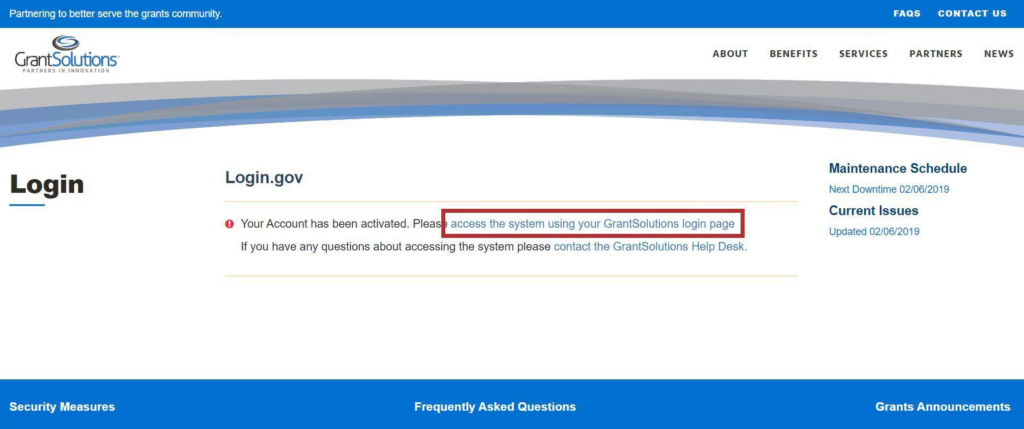
- Click the access the system using your GrantSolutions login page link to navigate to the GrantSolutions “Login” screen.
- On the GrantSolutions “Login” screen, click the Login.gov button.
- On the Login.gov “Sign in” screen, repeat the steps in the Log Into GrantSolutions Through Login.gov Using PIV section to log in.
The GrantSolutions “Home” screen appears upon successful log in.